
Find real shooting locations with AI search, images and scene briefs
SetScout turns visual references, scene descriptions and short briefs into searchable location shortlists. An idea becomes a selection of real locations in minutes, each with photos and details, and where a host has listed one, a direct line to contact and book.
You get real locations with photos and details, and where a host has listed one, a direct line to contact and book them, not generated fantasy images.
Built for real scouting decisions
Describe your look by text, image or scene and find real locations in minutes, each with photos and key facts, saved in shortlists for your team, and host-listed ones you contact directly.
Results connect back to location detail pages and shortlists, not anonymous generated images.
You land straight on locations across Europe: Berlin, studios, lofts, industrial spaces and more production categories.
Favourites go into shortlists: save, compare, share with your team and inquire directly where a host has listed.
Search examples from the product
Each example points to a real SetScout workflow: natural-language search, reference-image search and script-driven location extraction.
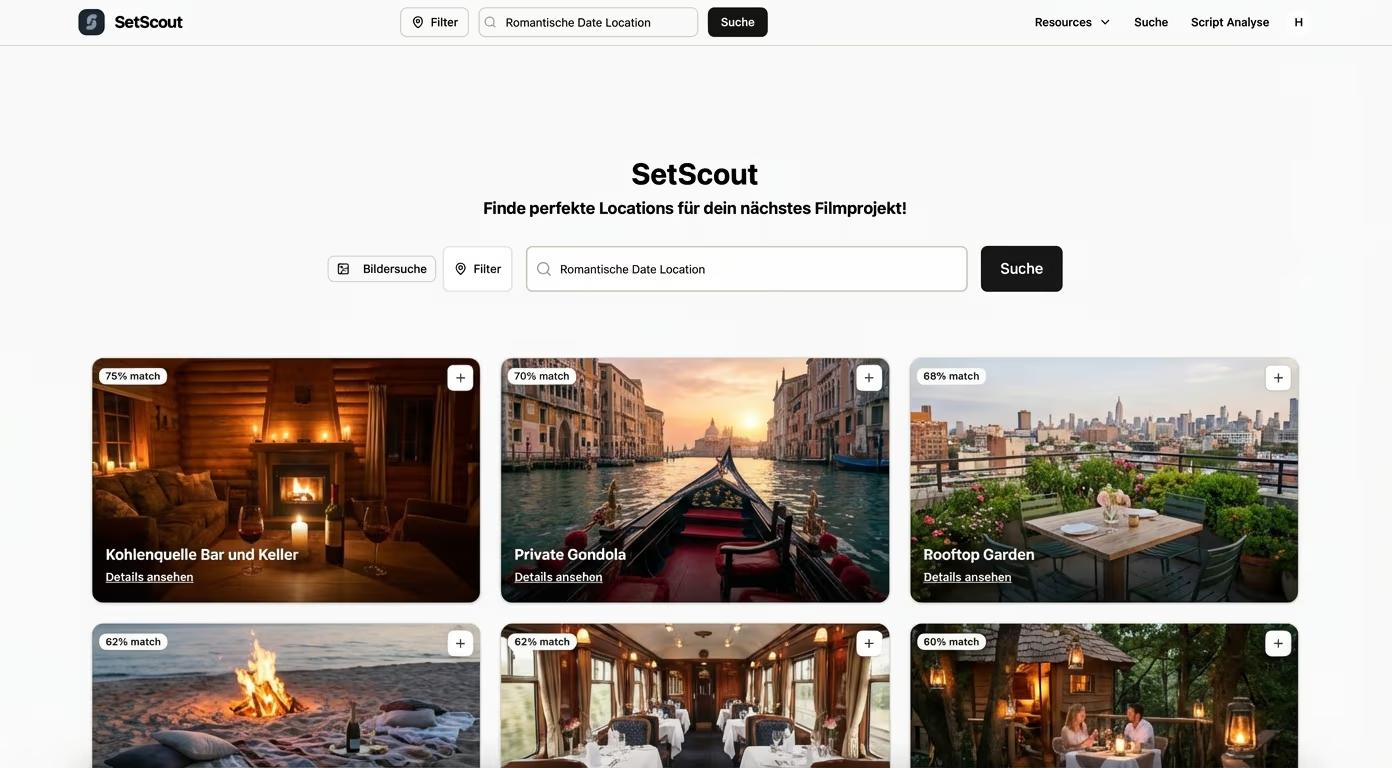
Text search
Describe the motif instead of guessing database tags
SetScout turns your description into a shortlist of real film locations with photos and details, and host-listed ones with a direct line to the host.
Text search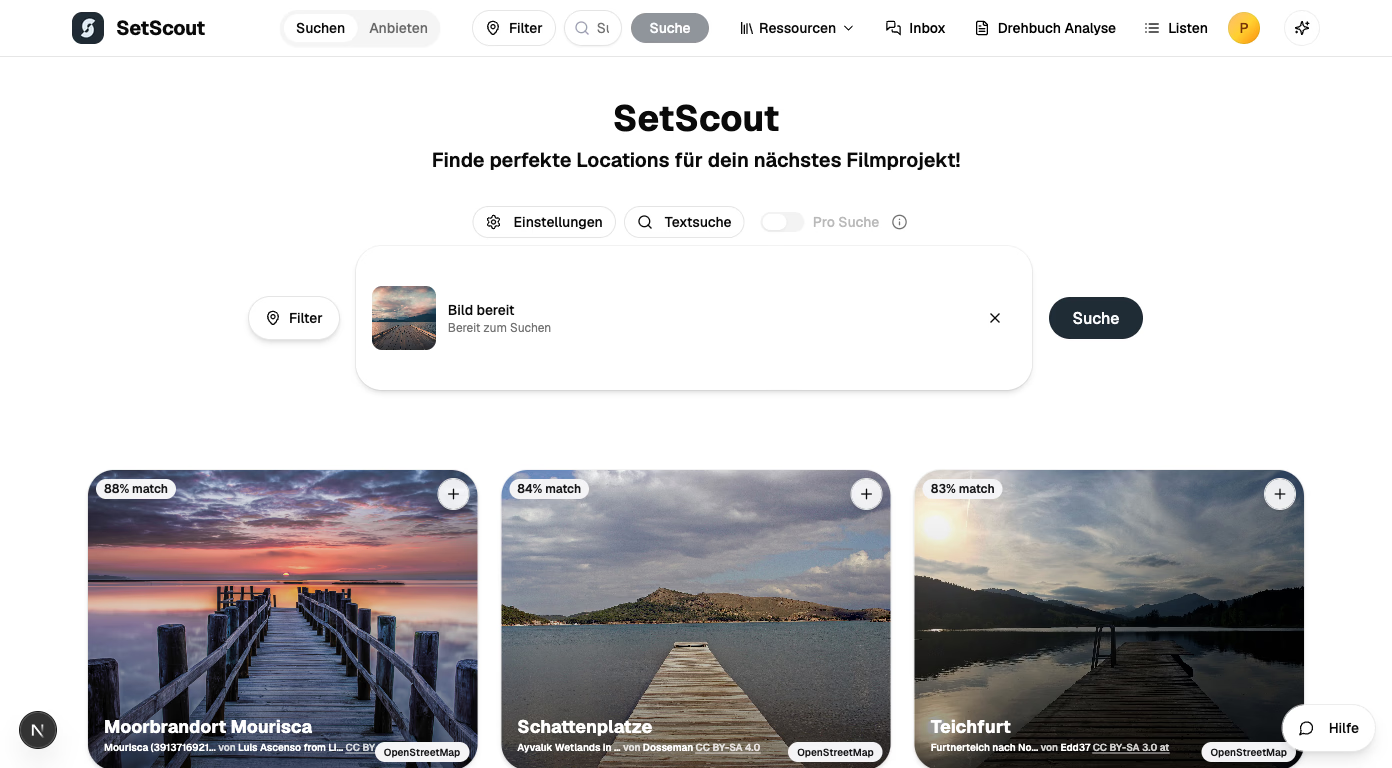
Image search
Use a reference image when words are too vague
Visual similarity helps teams find locations with matching architecture, colour, texture and atmosphere, each with photos and details, host-listed ones with a direct line to the host.
Image search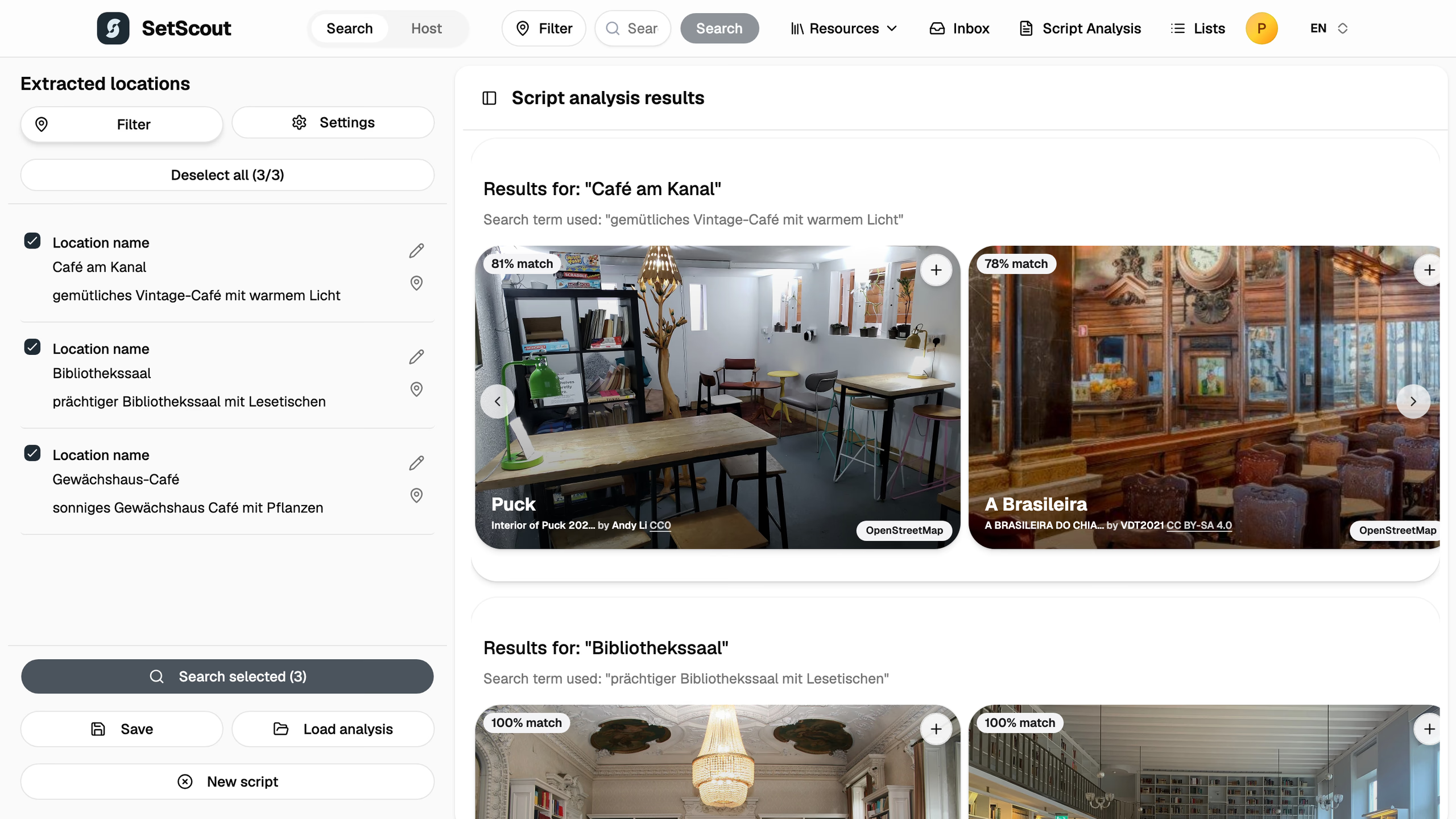
Script workflow
Move from scenes to searchable location briefs
Script analysis turns every scene into a search and leads you to real locations that you collect in lists per scene.
Script workflowHow SetScout uses AI in the scouting flow
The workflow combines semantic matching and visual similarity so you get from a description or an image to real locations fast.
Start with production language
Search for the visual facts in the brief: period, architecture, light, geography, interior or exterior, crew size and usage constraints.
Add image context when needed
Reference images help when a director, agency or photographer already has a look that is hard to express as filters.
Review real pages and shortlists
Save promising locations, compare details and share lists with the team, every option in one place instead of scattered across screenshots and chats.
Reach out directly
Each listing shows photos, details and contact options, so you can ask about availability and terms with the host directly in a few clicks.
Practical next steps
How to get the most from AI search: from your look by text, image or scene to a finished shortlist.
How visual search helps when the right location is easier to show than to describe.
How scene breakdowns become searchable briefs and shortlists.
Go from AI search straight to real locations
Use SetScout to move from an AI-assisted idea to real locations in Germany, Berlin, shooting locations and scouting workflows with concrete motifs.
Compare AI-generated location ideas with real German production options.
Check Berlin location ideas against real motifs, access needs and production logistics.
Find controllable Berlin interiors and shoot spaces for photo, film and commercial work.
Turn English creative briefs into practical German shortlists and scouting decisions.
AI location search FAQ
Start with a scene, image or concrete motif
Use SetScout to turn your first idea into a shortlist of real locations in minutes, ready to share with your team and contact directly.